Best Apps for NMC Revalidation and Appraisals
Compare reflection, portfolio and CPD apps for NMC revalidation — choose tools for reflections, evidence storage, privacy and export.
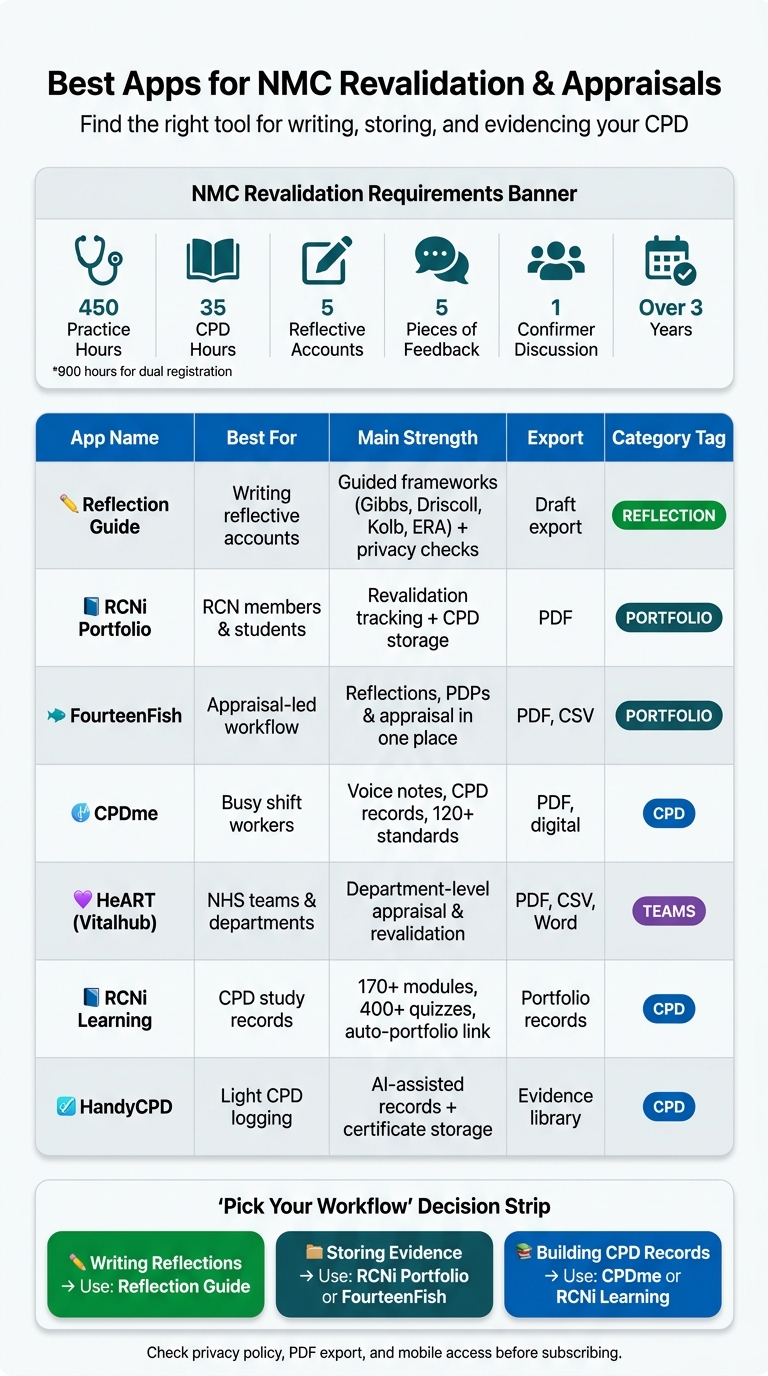
If I wanted the short answer, I’d split this list into three groups: one app for writing reflections, one for storing evidence, and one for CPD records. That matters because NMC revalidation asks for 450 practice hours (or 900 for dual registration), 35 CPD hours, 5 reflective accounts, 5 pieces of feedback, plus a discussion and third-party confirmation over 3 years.
Here’s the article in one glance:
- I’d use Reflection Guide if writing the five reflective accounts is the hard part.
- I’d look at RCNi Portfolio, FourteenFish, CPDme, or HeART if keeping records in one place is the main issue.
- I’d use RCNi Learning, CPDhub, or HandyCPD if the goal is to build CPD evidence as I go.
- I’d check privacy, PDF export, and phone access before paying for anything.
- I’d avoid double entry if my trust, university, or employer already gives me a portfolio system.
The main point is simple: one tool helps me write better reflections, another helps me store and share them. In many cases, the best setup is to use both.
Quick Comparison
Best Apps for NMC Revalidation: Quick Comparison Guide
| App | Best for | Main strength | Export |
|---|---|---|---|
| Reflection Guide | Writing reflective accounts | Guided reflection models + privacy checks | Draft export |
| RCNi Portfolio | RCN members and students | Revalidation tracking and CPD storage | |
| FourteenFish | Appraisal-led workflow | Reflections, PDPs, and appraisal in one place | PDF, CSV |
| CPDme | Busy staff who log learning often | Voice notes, CPD records, standards tracking | PDF, digital portfolio |
| HeART (Vitalhub) | Teams and NHS services | Department-level appraisal and revalidation | PDF, CSV, Word, image |
| RCNi Learning | CPD study records | Modules, quizzes, certificate flow into portfolio | Linked portfolio records |
| HandyCPD | Light CPD logging | AI help with records and certificate storage | Evidence library/export tools |
If I were picking fast, I’d do it like this: Reflection Guide for writing, RCNi Portfolio or FourteenFish for storage, and CPDme or RCNi Learning for CPD records.
Start Your Guided Reflection Today
Create structured, CPD-ready reflections using recognized models like Gibbs, Driscoll, Kolb, and ERA. Perfect for NMC revalidation, HCPC CPD, and GMC appraisal.
Start Reflecting Now1. Reflection Guide for structured reflective accounts
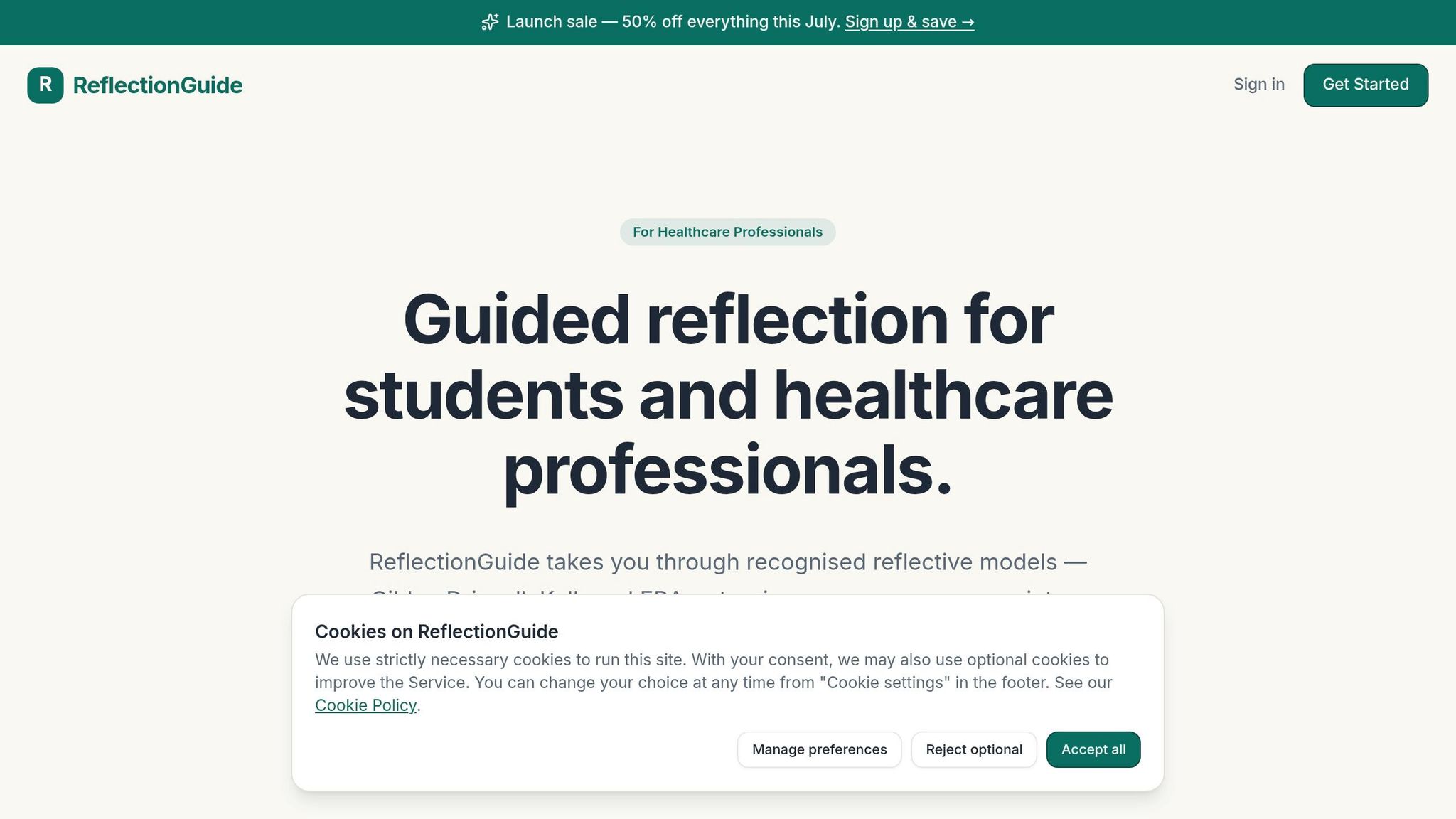
Reflection Guide works well at the reflective-account stage of NMC revalidation and for drafting reflections you can use in appraisal. It lines up neatly with the five reflective accounts needed for NMC revalidation [1].
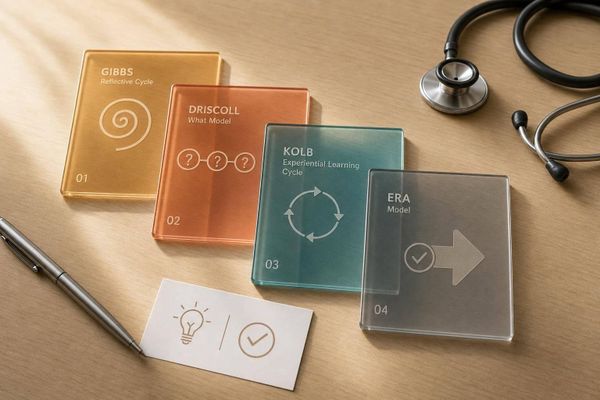
The tool uses guided prompts based on well-known reflective frameworks: Gibbs (a six-stage cycle), Driscoll (What? So what? Now what?), Kolb (Experiential Learning), and ERA (Experience, Reflection, Action). That makes it easier to turn a recent event, feedback, or CPD activity into a clear, structured reflection.
It also includes privacy checks to help keep identifiable patient or colleague details out of your drafts.
Once your draft is done, you can export it for an NMC portfolio or an employer appraisal record. Reflection Guide has a free plan that includes guided reflection tools, privacy checks, and draft creation. The premium plan gives access to all frameworks, better export options, and priority support.
If you need a tool that handles storage as well as reflection, the next section looks at portfolio and appraisal apps.
2. Portfolio and appraisal apps for NMC evidence storage
Once you’ve written a structured reflective account, the next step is simple: keep it somewhere you can find it fast. That usually means storing it with your CPD records, practice hours, and appraisal notes in one place.
These apps don’t all work the same way. Some are built for quick logging on the go. Others are better at exporting records neatly for appraisal. And some are aimed at one person, while others make more sense for teams and departments. In general, the first three are a better fit for individual registrants. The last one leans more towards organisation-level use.
RCNi Portfolio is a straightforward choice for RCN members. It comes free with membership and gives you CPD logging plus export features .
FourteenFish is built for people who want appraisal and portfolio work in the same flow. You can log CPD, reflections, and personal development plans, then export the lot as a single PDF summary or CSV file for appraisal [2]. As FourteenFish notes: "The annual subscription enables sharing to the appraiser, but the material is the user's own and remains accessible at all times." [2]
CPDme suits busy shift workers who need to record learning without turning it into a chore. It includes the CPDassist tool, which turns voice notes into structured CPD entries, plus a CPD Healthcheck that scans your records and shows progress against requirements . It also links to more than 120 professional standards, including NMC, GMC, and HCPC .
HeART (Vitalhub) takes a team-based route. It offers an RCN-accredited framework for NHS settings where appraisal, revalidation, and education are handled at team or department level [3]. It exports in PDF, CSV, Word, and image formats, and pricing ranges from £9 to £39 per licence per year depending on the plan [3].
| App | Best for | Price | Export formats |
|---|---|---|---|
| RCNi Portfolio | RCN members | Free (with membership) | PDF, digital export |
| FourteenFish | Appraisal + portfolio workflows | Subscription | PDF, CSV |
| CPDme | Quick CPD capture, multi-standard use | £2.99/month or £24.99/year | PDF, digital portfolio |
| HeART (Vitalhub) | NHS/organisational use | £9–£39 per licence per year | PDF, CSV, Word, image files |
If you’re choosing between them, the short version is this: RCNi Portfolio works well if you already have RCN membership, FourteenFish fits a joined-up appraisal process, CPDme is handy when time is tight, and HeART (Vitalhub) makes more sense when a whole service needs one system.
3. CPD and learning apps that support appraisal evidence
Portfolio apps keep your evidence in one place. Learning apps help you produce that evidence in the first place.
RCNi Learning includes more than 170 CPD modules and 400+ member-only quizzes. Users can also add certificates and reading records straight into the integrated RCNi Portfolio, including records from RCNi journals such as Nursing Standard [4].
CPDme's CPDhub is built around recorded sessions and live weekly webinars. It creates certificates automatically and stores them in a diary, which can then be exported as a portfolio .
HandyCPD is an AI-assisted workspace for logging learning activities and storing certificates in an evidence library. It also links activities to professional standards, including the NMC Code . The free plan covers two records each month, while the Pro version costs £14.99 per year as part of a founding offer .
The main thing to know is this: these tools are best seen as evidence-capture apps, not complete revalidation systems. They help you gather certificates, reading logs, and study records. But practice-hour tracking, declarations, and the final export process usually belong in portfolio apps.
The comparison table below shows which apps focus on evidence capture only and which ones go further into the appraisal workflow.
Comparison table: which app suits which UK healthcare professional
After the app-by-app summaries, this table gives you a quicker side-by-side view. These tools mainly cover three jobs: reflection, portfolio management, and CPD logging. The table below shows the fastest match by role.
| App | Primary Audience | Main Use Case | Reflection Support | CPD Logging | Appraisal Support | Export Options | Platform |
|---|---|---|---|---|---|---|---|
| Reflection Guide | Nurses, students, HCPC and GMC registrants | Structured reflective accounts | Guided models: Gibbs, Driscoll, Kolb and ERA | No | NMC revalidation, HCPC CPD, GMC appraisal | Draft export | Web |
| RCNi Portfolio | RCN members, nursing students | NMC revalidation tracking | NMC templates and progress tracking | Yes | NMC revalidation | Web | |
| Revalidation Copilot | Busy staff nurses | Rapid mobile logging | Voice notes turned into reflections | Yes | Full portfolio export for confirmer discussions | PDF download | iOS, Android, web dashboard |
| FourteenFish | Practice nurses, GPs, appraisers | Appraisal management | Learning reflections and PDPs | Yes | Appraisal toolkit and Nurse & Midwives dashboard | PDF, appraisal system | iOS, Android, web |
| CPDme | Multi-professional teams, organisations | CPD logging and webinars | AI-assisted dictation | Yes | NMC, HCPC and GMC standards | PDF, email, audit portal | iOS, Android, web, desktop |
| CPD Active | HCPC professionals and emergency staff | Immediate reflection after incidents | Hot Debrief Mode with voice-to-text prompts | Yes | PDF portfolios and secure audit links | PDF, secure links | Desktop, tablet, mobile |
Best fit by role: staff nurses, students, managers, and appraisers
Use the table for a quick scan, then use the role notes to trim your shortlist.
The main thing is to match the app to your day-to-day workflow. Students often need simple storage for evidence and appraisal documents. Staff nurses tend to need fast mobile capture. Managers usually need sharing tools and dashboards. Independent practitioners often need records they can export and take anywhere.
Nursing students who want to start building a record early may lean towards structured storage for CPD evidence and appraisal paperwork. RCNi Portfolio fits students who do not yet need to revalidate but still want to track their progress.
Staff nurses working busy rotas usually need speed and easy phone access. Revalidation Copilot is built for rapid post-shift logging, while CPD Active has Hot Debrief Mode for emergency or high-pressure settings, when details are still fresh.
Ward managers and nurse appraisers often need systems that make annual reviews and evidence sharing easier. CPDme's Corporate Plan includes a management dashboard for organisations, and FourteenFish is centred on an appraisal model with tools for reviewing portfolios and supporting PDPs.
Independent practitioners without employer-led systems should put PDF export high on the list, so their records stay portable and ready for audit.
How to choose an app that fits your revalidation process
Once you’ve trimmed your shortlist, pick the app that matches how you actually work day to day.
First, check what your NHS trust, university, or employer already gives you. Some organisations already provide an e-portfolio system, so adding another app can mean entering the same thing twice. If your workplace leans on a set platform, look for an app with clean export so you can move reflections and CPD logs across without typing everything out again.
A reflection-first tool makes sense if the main sticking point is getting your thoughts down in writing. A full portfolio system is often the better fit if your main concern is storing records, tracking hours, and pulling everything into one export.
It also helps to record reflections soon after a shift, while the details are still clear in your mind. Leave it too long and small but useful details can slip away. Mobile capture or voice notes can make that much easier.
Privacy, portability, and ease of use in day-to-day practice
Once workflow is sorted, look closely at privacy and export quality.
Any app you use should make anonymisation simple. Reflection Guide includes built-in privacy checks to help keep sensitive details out of your drafts. Portability matters too. If an app gives you a clean export - such as a PDF or a structured draft - you’re in a much better position for a confirmer discussion or an audit, without a last-minute rush.
Before you pay for anything, test the export. That one step can save a lot of hassle later.
Reflection-first tools vs full portfolio systems: pros and cons
| Feature | Reflection-first tools | Full portfolio systems |
|---|---|---|
| Setup time | Near-instant | Moderate; requires logging historical CPD and hours |
| Reflection structure | High; guided prompts using recognised frameworks | Variable; often uses standard templates |
| Evidence storage | Focused on reflective accounts and drafts | Extensive; includes certificate uploads and file libraries |
| Export flexibility | Exports individual structured accounts | Generates a complete, multi-section portfolio PDF |
| Privacy checks | Built-in privacy checks | Varies by platform |
These two options don’t have to be an either-or choice. Many registrants draft and polish their reflective accounts in a reflection-first tool, then move those exports into a full portfolio system for record-keeping or upload them to an employer-mandated platform.
The final section weighs up guided reflection, full portfolio systems, or a mix of both.
Conclusion: guided reflection, full portfolio, or both
The simplest choice is often both: draft reflections first, then store them in a portfolio system. In day-to-day use, many registrants need both - a reflection-first tool for writing, and a portfolio system for long-term record-keeping.
Reflection Guide sits neatly at the drafting stage. Its guided prompts, built on frameworks like Gibbs, Driscoll, and Kolb, help you turn a rough experience into a clear, structured account without having to start from scratch. The built-in privacy checks also mean you're less likely to leave identifiable details in a draft before it gets anywhere near your portfolio.
A reflection-first tool makes the account better. A portfolio system keeps the record complete - practice hours, CPD logs, feedback records, and the final export for your confirmer discussion, all kept in one place.
Draft reflections in one tool, then file them in your portfolio system for final submission and confirmer discussion. That keeps reflection fast, evidence organised, and revalidation admin lighter.
FAQs
Do I need one app or two?
No. You can complete your NMC revalidation with one app.
One platform can help you track CPD, store evidence, and draft reflective accounts in one place. Reflection Guide does this with structured reflection tools based on recognised models such as Gibbs and Kolb, while helping keep your information organised, secure, and ready for your confirmer.
What should I track for NMC revalidation?
For NMC revalidation, you need to keep track of a few core requirements across your three-year renewal cycle:
- 450 practice hours - or 900 hours if you’re a dual registrant
- 35 hours of CPD, with at least 20 participatory hours
- Five written reflective accounts linked to the NMC Code
- Five pieces of practice-related feedback
- A reflective discussion with a suitable confirmer
That’s the checklist in plain English. Miss one part, and the whole process can feel harder than it needs to.
Reflection Guide can help you organise your reflections in a clear, professional way, so they line up with NMC standards.
How do I choose the right app?
Choose an app that helps you stay organised across your three-year revalidation cycle. It should make it easier to log your practice hours and CPD, with a clear dashboard so you can see your progress at a glance.
Look for secure, structured tools to draft reflective accounts, plus a simple way to export a polished PDF portfolio for your confirmer. The right option should fit neatly into your day-to-day workflow.